
Fleet Charging Management is an experience designed for teams who manage electric vehicle fleets, depot charging, and daily trip schedules.
Overview
Fleet charging operations involve many moving parts. Managers must track battery levels, trip readiness, depot availability, and charging delays without becoming overwhelmed. The improved UX was shaped as a fleet control workspace around one core question: 'What needs attention right now, and what should I do next?'
Timeline
3 Months (Summer 2025)
Role
Product Designer
Platform
Web Manager & Driver Mobile
Tech Stack
The Impact
Priority Vehicle Visibility
Urgent vehicles and charging issues are surfaced with clear priority and context.
Faster Decision Making
A clear timeline schedule connected past activity, today's plan, and future charging sessions.
Decision Fatigue
Separated operational needs into connected, guided workflows from overview to detail.
The Problem
If everything is shown with the same priority, the user spends too much time figuring out what is actually important. The challenge was transitioning from a data heavy tool into a clear decision making workspace.
The Process & Operational Reality
The experience was designed as a workspace where the most important decisions are visible first, focusing on clarity, urgency, and quick comparison.
High Level Fleet Health & Decision Making
The manager focuses on readiness, risk, and planning. The design prioritizes actionable intelligence:
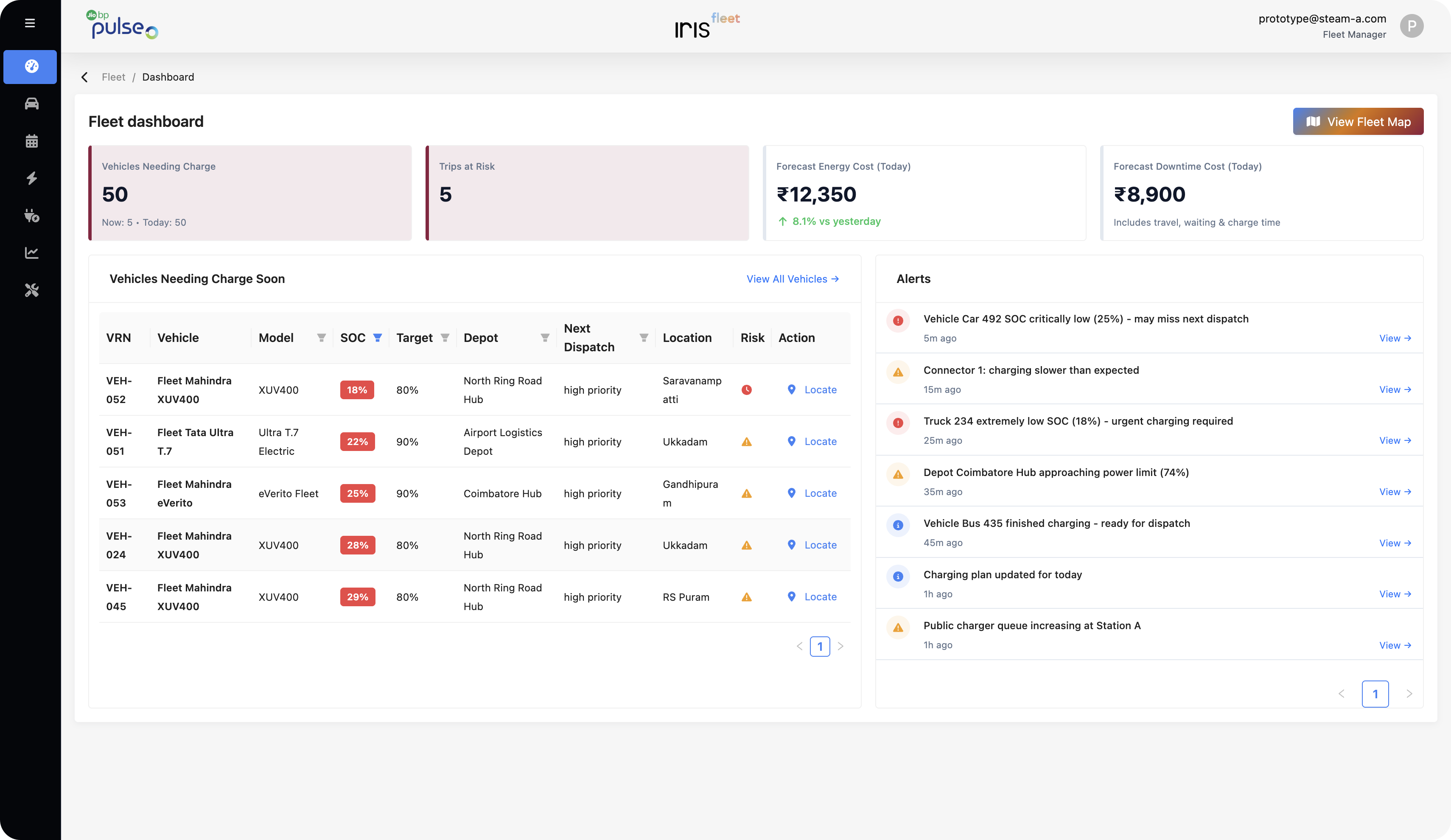
- Highlights urgent vehicles, at risk trips, and expected costs at the top of the dashboard.
- Organizes vehicles by urgency (battery condition, next trip readiness).
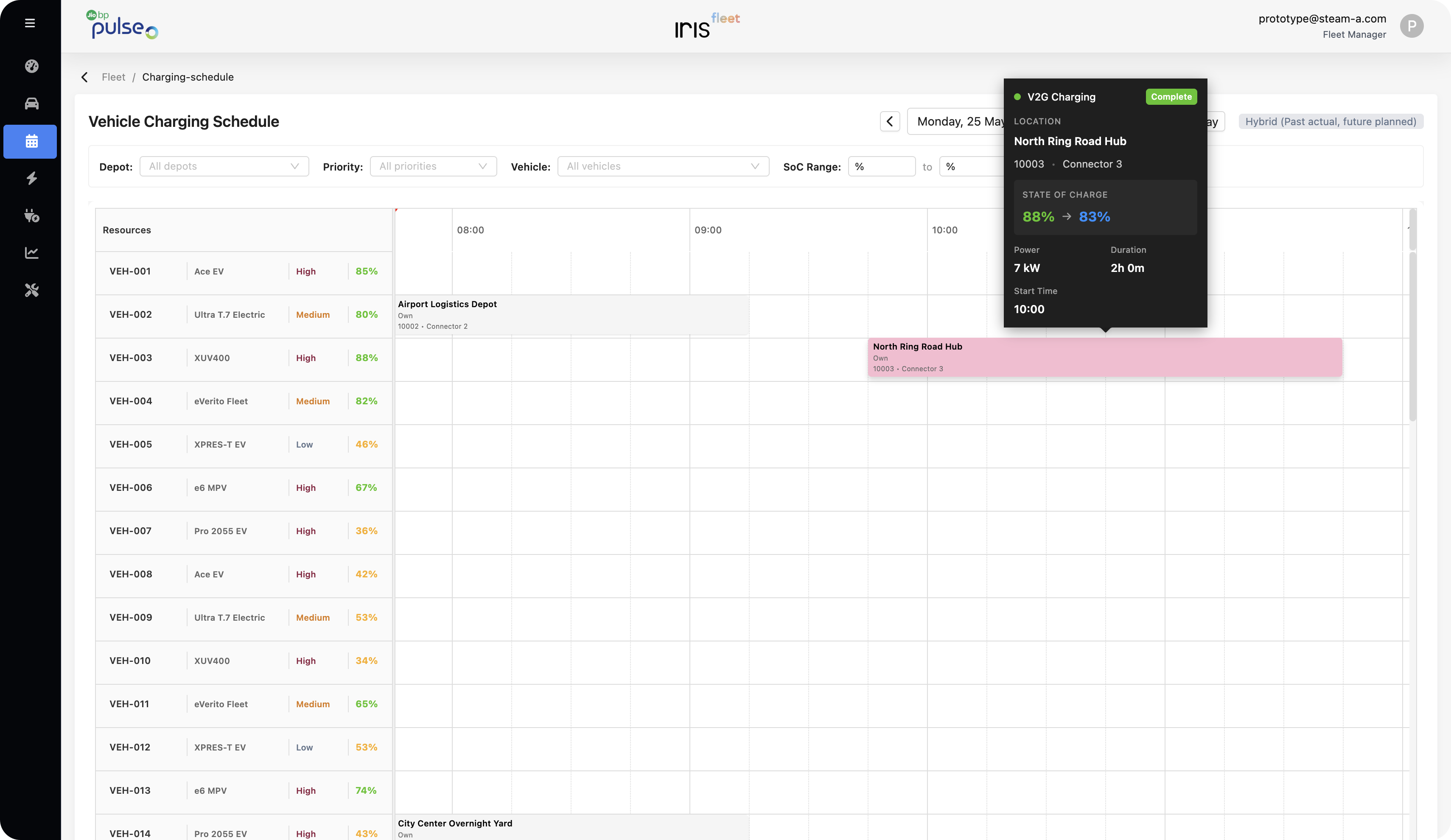
- Provides a charging schedule timeline to understand the day at a glance.
The Solution
A comprehensive deep dive into the operational breakthroughs engineered to bring low-cognitive friction, verified security, and seamless ease.
Problem Tackled
Instant understanding over statistics
Priority Based Dashboard
Redesigned the top area to highlight urgent daily signals: vehicles needing charge, at risk trips, and expected downtime costs. Vehicles are organized by urgency rather than raw lists.
Problem Tackled
Organizing vehicles by urgency
Scheduled Charging Based on Priority
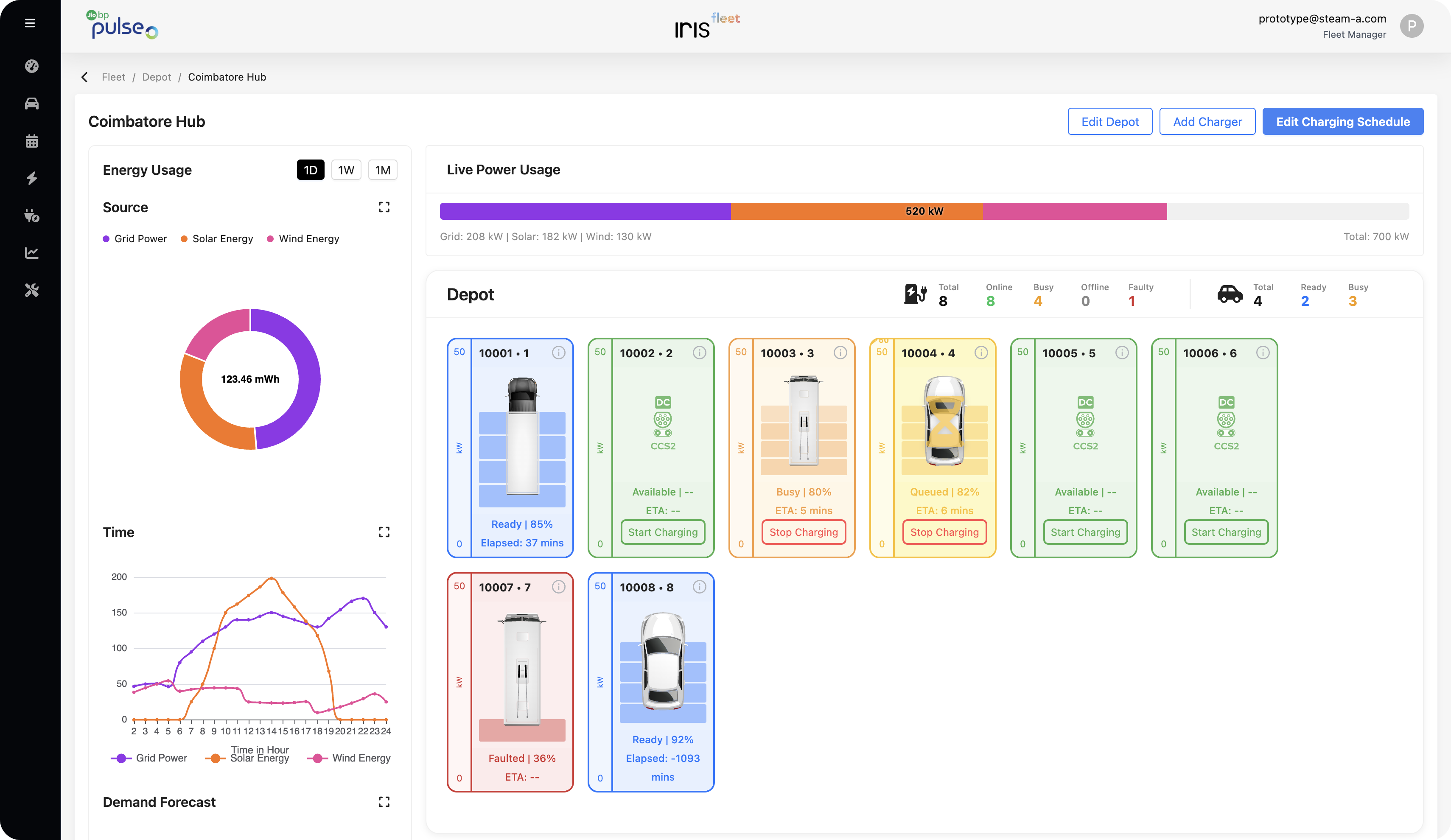
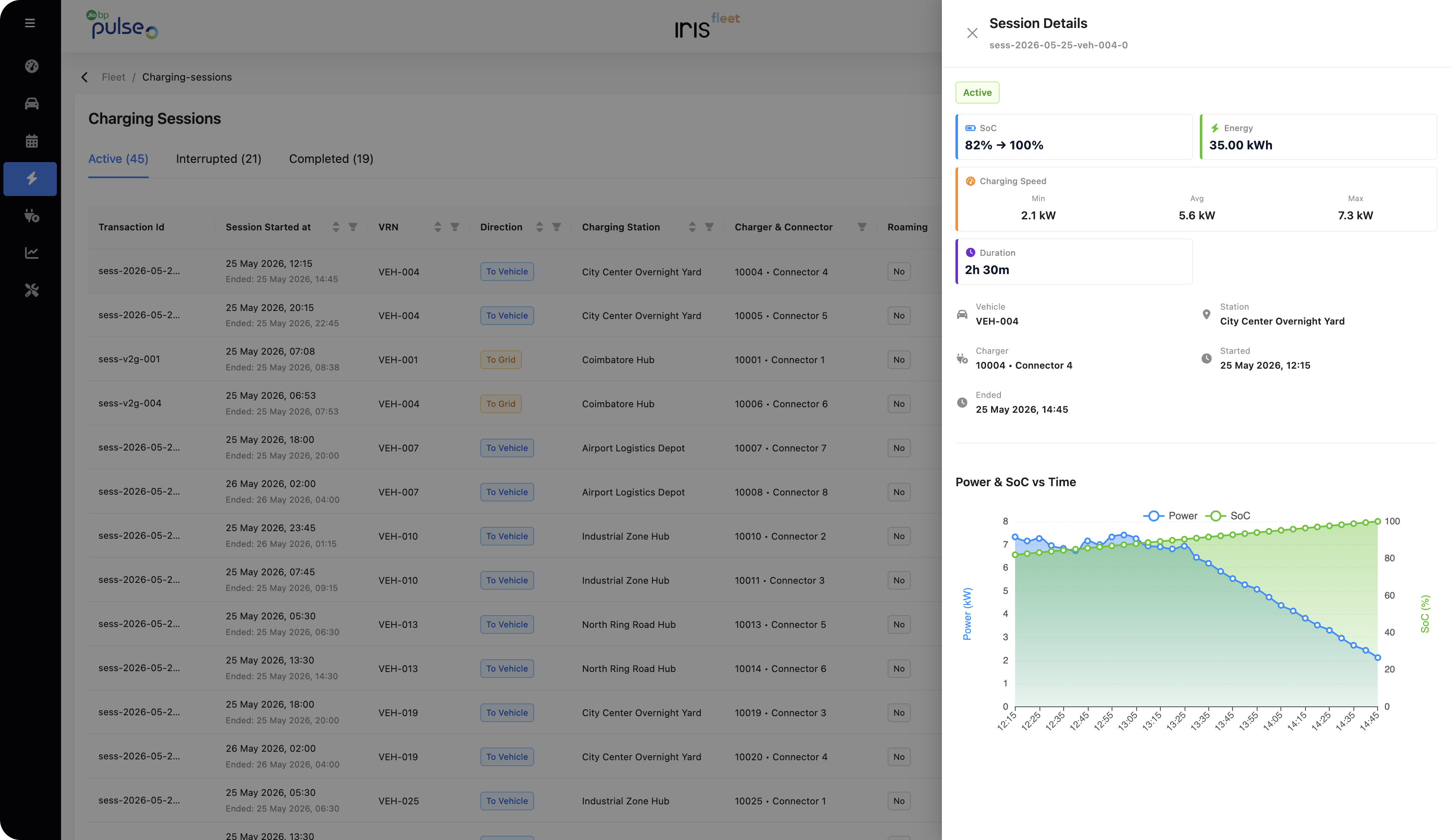
Vehicles are organized by charging urgency, making it easier to see which ones need attention first based on battery condition and next trip readiness.
Problem Tackled
Planning across past, present, and future
Visual Charging Schedule
Shaped the charging schedule as a visual timeline, highlighting past activity, today's active plan, and future sessions. Conflict handling provides guided practical options.
Learnings
"Operational products need more than clean layouts. They need strong information priority."
UX improvement in fleet operations is about helping users trust the information, understand the priority, and take the next step with confidence, rather than just adding more information.
Guided Conflict Handling
Alerts become far more useful when they are connected to clear, practical actions.
Visual Urgency
Helps users act faster, but must be used carefully to avoid unnecessary stress or alarm fatigue.
Let's craft the next operational breakthrough.
Have a complex transactional workflow, multi-role portal, or data-dense dashboard to design?